Before comparing tools, it matters to understand what people are really looking for when they move away from Canva. Most are not trying to become professional graphic designers overnight.
They want freedom without friction.
They typically want:
- Full-resolution exports without watermarking
- Reusable templates without branding traps
- Good typography control
- Support for social, print, and digital formats
- Fast performance on low-power devices
- No forced upgrades for basic work
When a tool removes one or two of these limits, it immediately becomes attractive – even if it lacks Canva’s massive template library.
1. Photopea – The Closest Thing to “Free Photoshop in a Browser.”
Photopea is not trying to be Canva. It is something entirely different. It is a browser-based design application that behaves like Adobe Photoshop.
It opens PSD, XCF, Sketch, PDF, and raw image formats directly. Layer control is exact. Blending modes are real. Smart objects work. Export settings are professional.
For creators who outgrow Canva’s drag-and-drop limits, Photopea becomes a natural next step. It is ideal for thumbnails, web graphics, ads, product images, layered compositions, and retouching.
The learning curve is steeper than Canva, but the freedom is dramatically higher.
Photopea vs Canva (Core Differences)
| Feature | Photopea | Canva |
| Layer control | Full professional | Limited |
| File formats | PSD, XCF, RAW | Mostly PNG, JPG |
| Learning curve | Medium to high | Very low |
| Design freedom | Extremely high | Structured |
| Free exports | Yes | Often limited |
Photopea is for creators who want control instead of convenience.
2. Figma – The Best Free Tool for Interface, Brand, and Layout Design
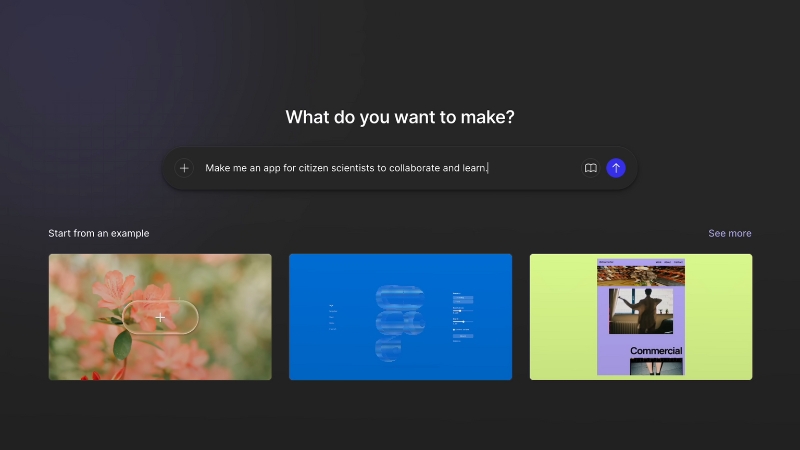
Figma has quietly become one of the most powerful free design platforms in the world—not for templates, but for structured design systems. It is used for UI design, web mockups, brand assets, presentation layouts, and content planning.
Figma shines where Canva struggles: spacing logic, component libraries, scalable brand systems, and collaboration at a professional level. It is free for individuals and small teams, with real-time editing and version history.
If Canva feels limiting when you try to keep visual consistency across dozens of assets, Figma is usually the upgrade path.
3. VistaCreate – The Most Direct “Canva-Style” Free Replacement
View this post on Instagram
VistaCreate is the closest thing to Canva without being Canva. The layout system feels familiar. The templates are polished. Social media graphics, stories, ads, posters, and presentations are all supported.
The difference in 2025 is that VistaCreate now allows more free exports, fewer watermark restrictions, and stronger animation tools than it used to. For creators who want something that feels like Canva but with fewer walls, this is the easiest switch.
It is particularly strong for:
- Instagram posts and stories
- YouTube thumbnails
- Facebook ads
- Digital posters and promotions
4. Desygner – The Best Free Tool for Teams and Print Layouts
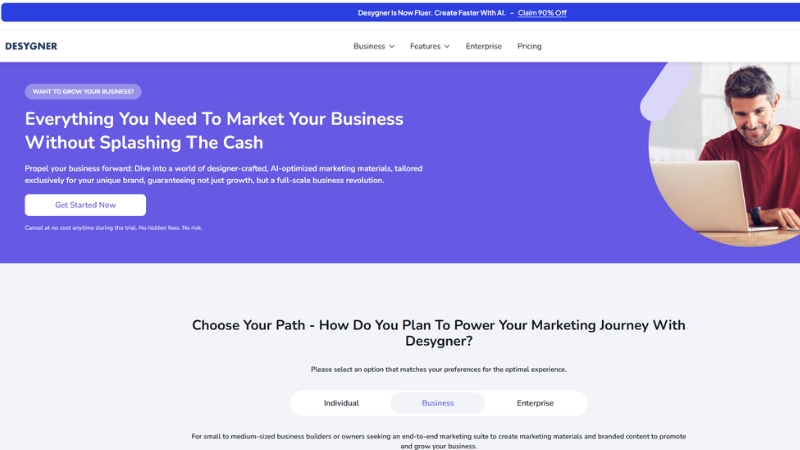
Desygner is often overlooked, but it has become one of the most usable Canva alternatives for print-focused design. Flyers, brochures, menus, posters, social graphics, and business cards all work smoothly.
Where it stands out is multi-user editing, locked brand elements, and real-world publishing layouts. The free version still allows surprisingly flexible exports.
If your design work includes offline materials, Desygner deserves serious attention.
5. Pixlr – Best Free Option for Fast Image Editing
@aisavvy Pixlr is the only photo editing and design app you need with tools for everything from basic to advanced editing. Remove backgrounds instantly with AI and add professional templates to create stunning product images and profile pics. Design beautiful social media posts easily with Pixlr X templates. But the most powerful tool is Pixlr E – an advanced editor similar to Photoshop but simpler. Heal and remove small objects, disperse images, focus and blur elements – the possibilities are endless. And it’s free! This video walks through how to use Pixlr’s suite of editing tools to take your images and designs to the next level. See how the AI-powered background remover, photomash studio, Pixlr X templates, and advanced Pixlr E can help you create professional-quality content with ease. The premium plan is also less than $5/month! Pixlr is a must-try for hobby and pro designers alike. #ai #aitool #aitools #pixlr #aiart #photoediting #aiediting #aieditor ♬ original sound – Victor C
Pixlr is not a layout tool. It is a speed-focused image editor. It replaces quick Photoshop edits, background removal, lighting correction, resizing, filters, and compositing.
For creators who mainly need:
- Thumbnail editing
- Background removal
- Color adjustments
- Overlay effects
Pixlr often replaces Canva entirely.
6. Google Slides + Drawings – The Underrated Free Design System
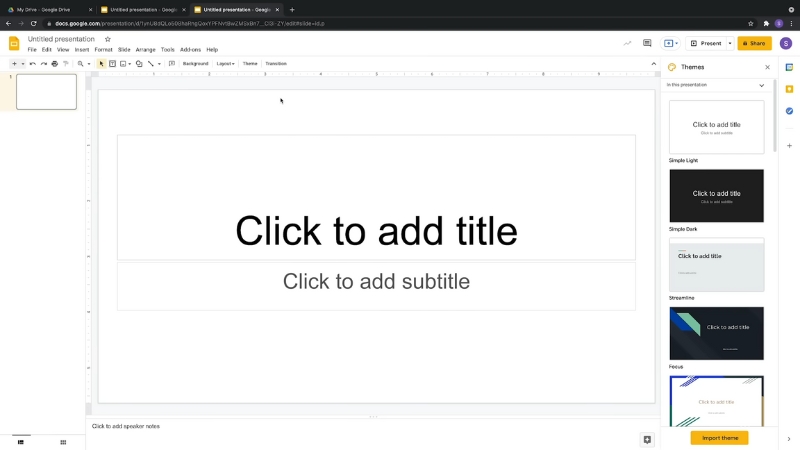
Many creators overlook Google Slides as a design tool. In reality, it is one of the most stable free layout platforms available.
When combined with Google Drawings and free font libraries, it becomes a surprisingly powerful Canva alternative for presentations, social templates, planners, workbooks, and digital downloads.
Its biggest advantage is not visuals. It is collaboration, version control, and zero performance issues. For educators, coaches, and teams, this matters more than aesthetics.
Comparison Overview
| Tool | Best For | Learning Curve | Free Export | Templates | Professional Control |
| Photopea | Advanced design & thumbnails | High | Yes | No | Very high |
| Figma | Brand & interface systems | Medium | Yes | Limited | Very high |
| VistaCreate | Social graphics | Low | Mostly yes | Strong | Medium |
| Desygner | Print & team layouts | Low | Yes | Strong | Medium |
| Pixlr | Fast photo editing | Low | Yes | No | Medium |
| Google Slides | Educational & digital products | Very low | Yes | Large | Medium |
Why “Free” Tools Are Actually Better in 2025 Than Ever Before

A few years ago, “free” meant crippled. In 2025, free often means fully functional with limits only on automation, storage, and scaling.
Open-source technology, web performance improvements, and cloud rendering have made professional design tools accessible without licenses.
What has changed is power distribution. Instead of one platform controlling everything, creators now build tool stacks. One platform for layout. One for photo edits. One for brand systems. One for collaboration.
That flexibility is something Canva still struggles to offer.
Who Should Still Stay on Canva
Canva is still excellent for:
- Total beginners
- Fast social content with no editing depth
- Teams that rely heavily on shared templates
- Users who live inside the Canva ecosystem
If speed and zero learning curve matter more than creative control, Canva still makes sense.
Who Should Move On in 2025
You should strongly consider alternatives if:
- You feel boxed in by Canva’s layout system
- You need layered control for ads and thumbnails
- You want watermark-free exports without upgrades
- You manage brand systems across many assets
- You create products for sale instead of just posts
Once your workflow becomes more than “one post at a time,” Canva usually becomes the bottleneck.
Conclusion
In 2025, creators no longer need to accept design limits in exchange for convenience. Free tools now cover nearly every professional use case: advanced photo editing, structured branding, team layouts, print publishing, product design, and social media visuals.
The shift is subtle but powerful. Creators are no longer choosing one platform. They are choosing ecosystems. One tool for control. One for speed. One for collaboration. One for publishing.